
How to Cash Out Winnings from FBMPLAY
To cash out winnings from FBMPLAY, players in the Philippines aged 21+ must complete KYC, then withdraw via GCash or Maya. PAGCOR-licensed FBMPLAY typically processes funds in 1–2 minutes.
Before You Withdraw: Preparation Requirements
Before initiating a withdrawal, ensure that your account is fully prepared. As a regulated platform, FBMPLAY requires all users to undergo identity verification. You must have a registered account, sufficient winnings in your wallet, and a completed Know Your Customer (KYC) profile. Treating the KYC process as a standard regulatory requirement rather than a bureaucratic hurdle will help ensure a smooth transaction.
Stage 1: Complete KYC Verification
KYC verification is a mandatory, one-time process required before your first withdrawal. This ensures compliance with regulatory standards and protects your account.
How to Access the KYC Form
Follow these steps to locate the verification section:
- Log in to your account at fbmplay.com.
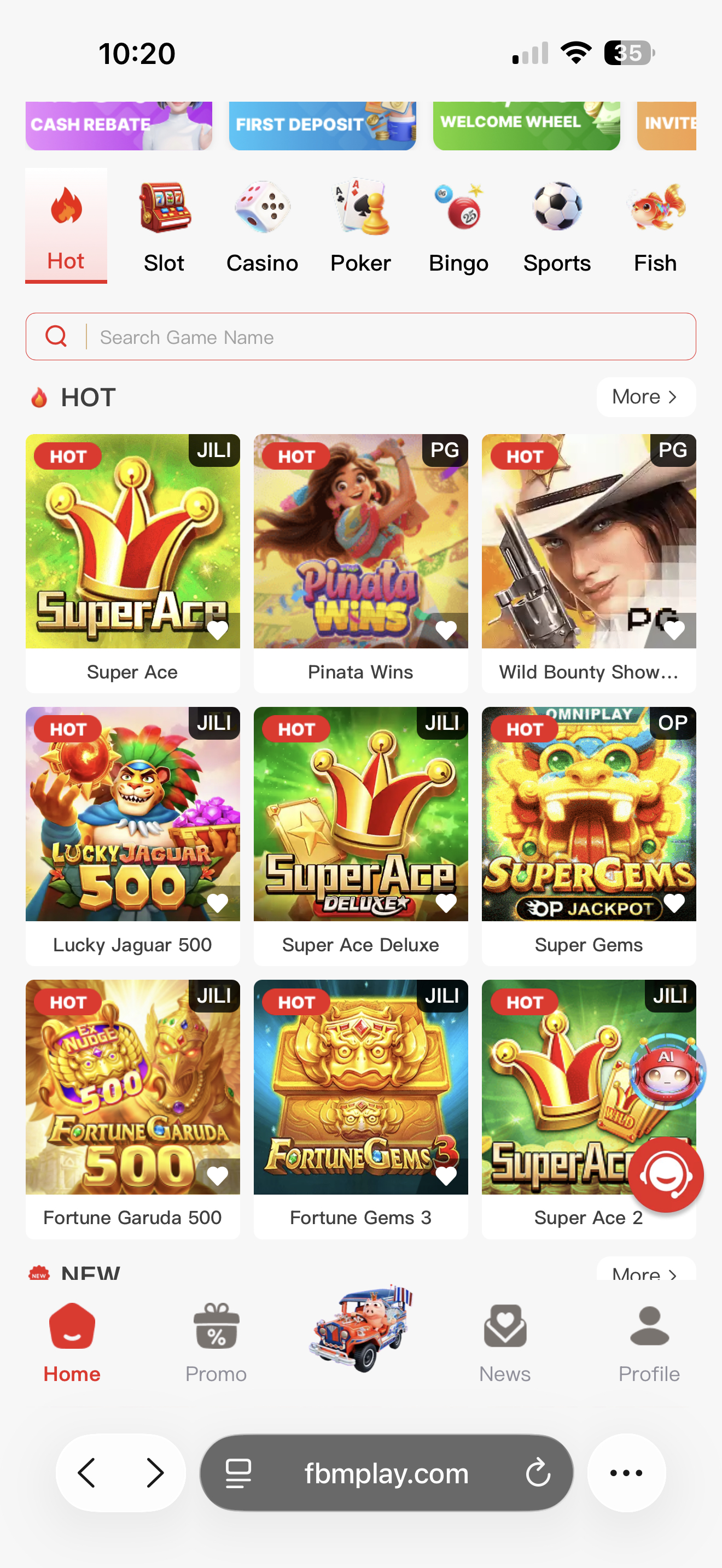
- Tap "Profile" at the bottom navigation menu.
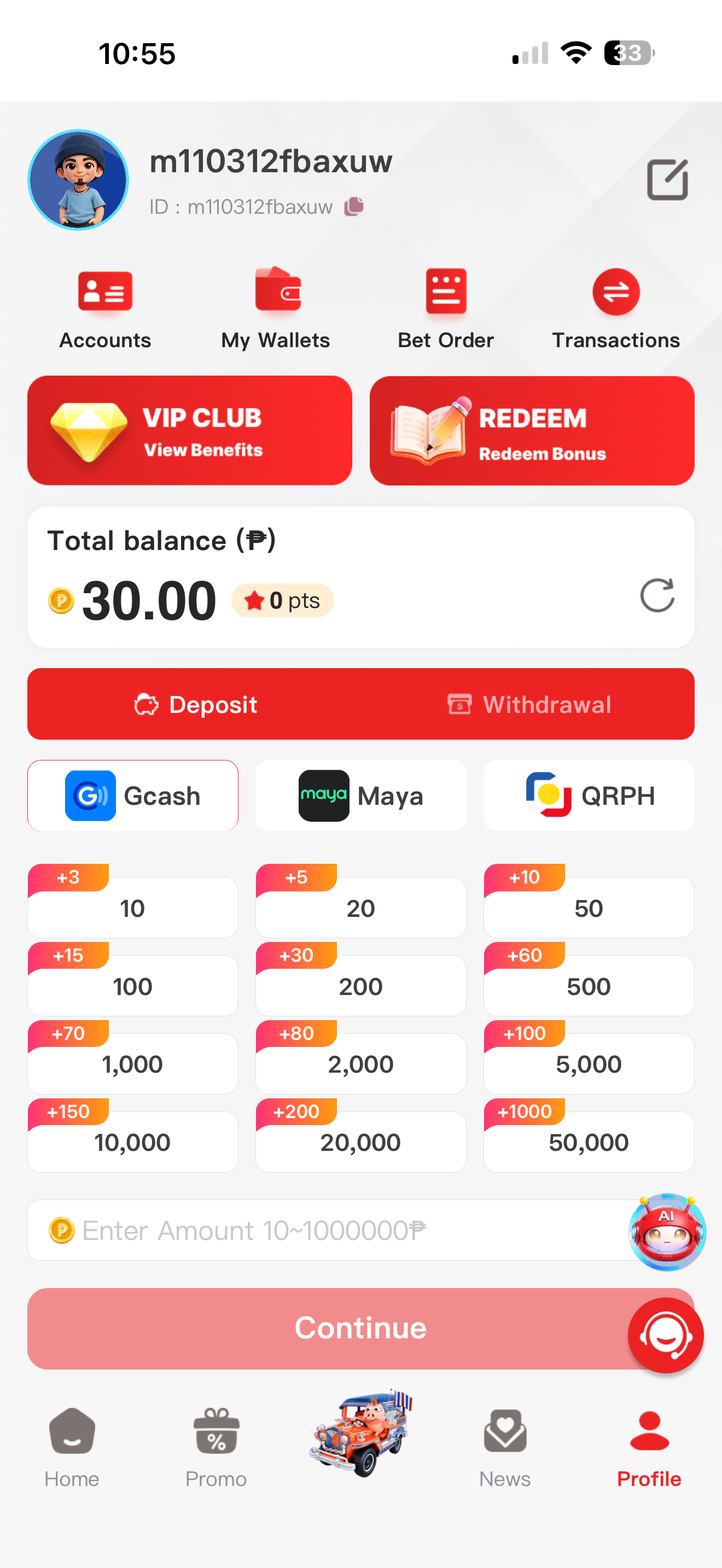
- Tap "Accounts".
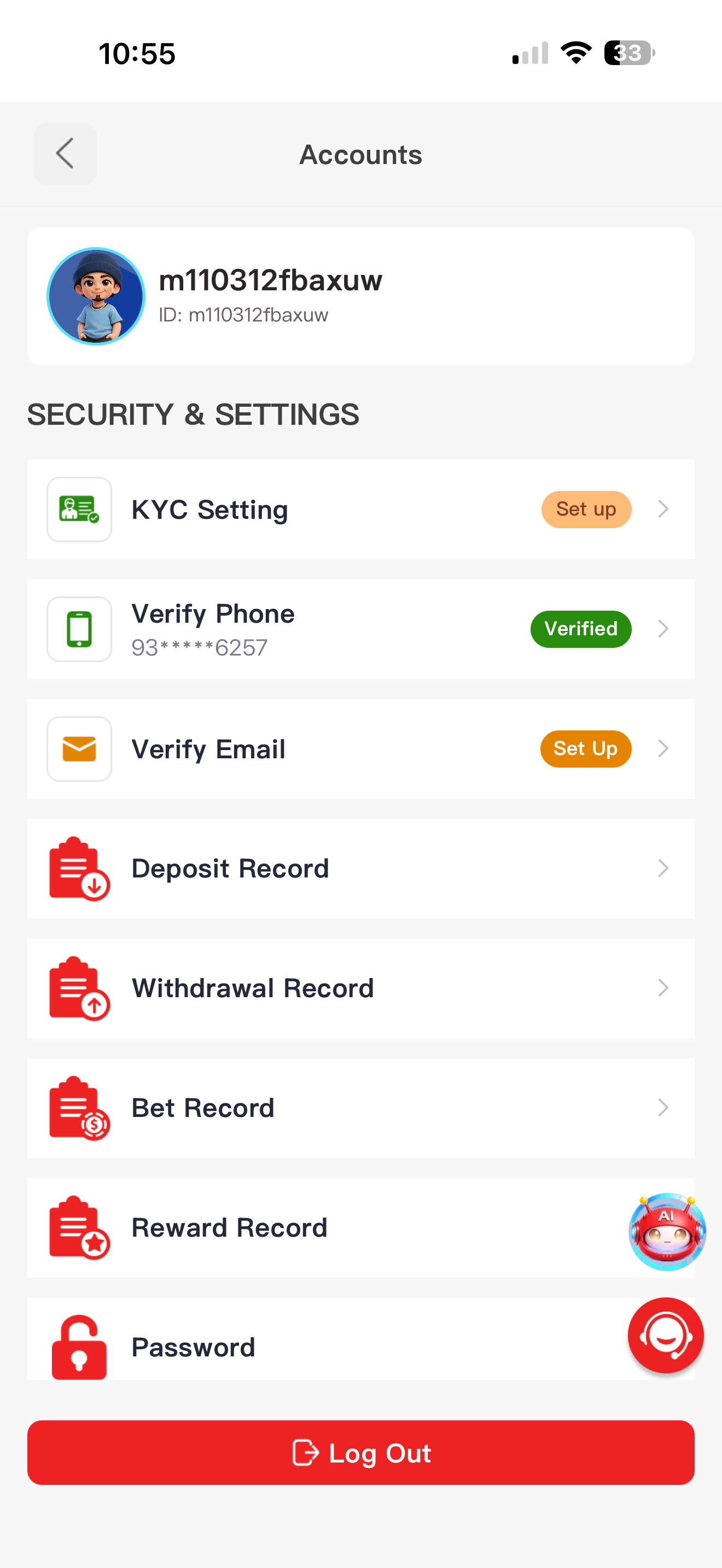
- Tap "KYC Setting".
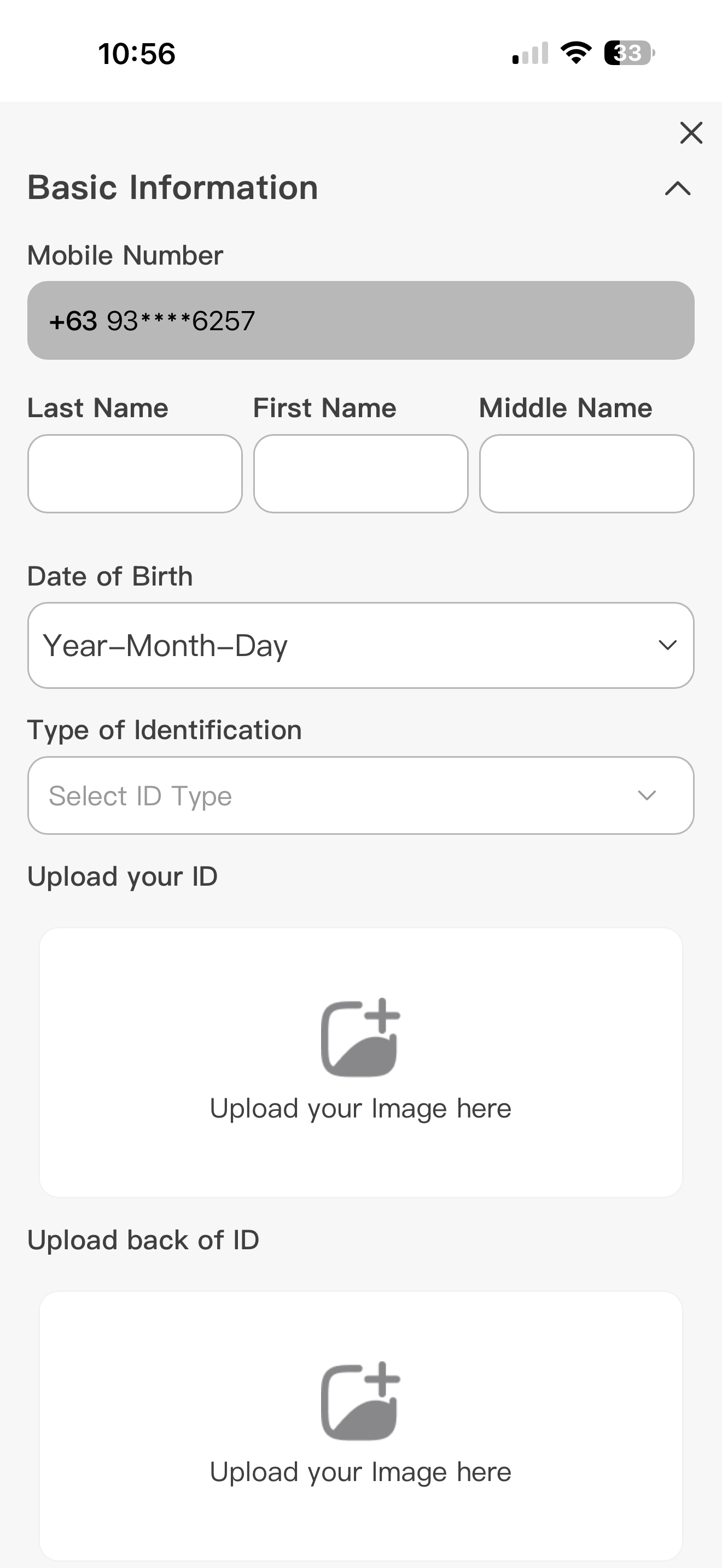
- Open and complete the verification form.
Information Required for KYC
The form is divided into two sections. You must provide accurate details that match your official documentation.
Basic Information:
- Full Name (Last / First / Middle)
- Date of Birth
- Mobile Number (this is auto-filled based on your registration)
- Type of Identification
- Upload a photo of the front of your ID
- Upload a photo of the back of your ID
- Upload a selfie holding your submitted ID
Additional Information:
- Place of Birth
- Present Address (Region, Province, City, Barangay)
- Permanent Address
- Nationality
- Source of Income
- Nature of Work
- Monthly Income Range
Once all fields are filled and images are attached, submit the form for review.
KYC Approval Timing and Tips for Faster Processing
Under normal conditions, KYC submissions are typically approved within 1 minute. However, during peak submission periods, the review process may take up to 24 hours.
To facilitate faster KYC approval, follow these guidelines:
- Upload clear, well-lit photos of a valid ID, ensuring all text is readable.
- Ensure the information you enter in the form matches your ID exactly.
- Follow all verification steps carefully in the Profile section.
- Be aware that unclear photos or mismatched information may be rejected and require resubmission, extending the verification timeline.
- Contact customer support if you need help during the process.
Stage 2: Make the Withdrawal
Once your KYC is approved, you can proceed to withdraw your funds.
- Log in to fbmplay.com.
- Tap "Profile", then select "My Wallets". Alternatively, use the Withdrawal button directly on the wallet page.
- Select your withdrawal method: GCash or Maya. Note that QRPH is for deposits only and is not available for withdrawals.
- Enter the withdrawal amount you wish to cash out.
- Confirm the transaction.
Stage 3: Receive Your Funds
After confirming your withdrawal, the final stage is receiving the money in your chosen e-wallet.
GCash and Maya withdrawals typically arrive in 1–2 minutes. FBMPLAY does not charge any platform withdrawal fees, meaning you keep the entirety of your requested amount. Furthermore, there is no FBMPLAY platform withdrawal limit. The actual maximum amount you can withdraw in a single day depends entirely on your personal GCash, Maya, or bank card limits.
For a detailed timing comparison between the two payment methods, read our guide on FBMPLAY withdrawal time GCash vs Maya.
What to Do If Your Withdrawal Is Delayed or Rejected
If your transaction takes longer than the typical processing time, or if your KYC submission is rejected, the most effective step is to reach out to the platform's support team. Customer support can verify the status of your account, clarify any mismatched information on your KYC form, and help resolve technical delays with your GCash or Maya transfer.
Frequently Asked Questions
How do I cash out my winnings from FBMPLAY?
To cash out, first complete your KYC verification in the Profile section. Once approved, navigate to "My Wallets", select GCash or Maya, enter your amount, and confirm the withdrawal.
Do I need to complete KYC before withdrawing from FBMPLAY?
Yes, KYC verification is a mandatory, one-time requirement before you can make your first withdrawal.
How long does KYC approval take on FBMPLAY?
KYC is typically approved within 1 minute. During periods of high volume, the review may take up to 24 hours.
What payment methods can I use to withdraw from FBMPLAY?
Players can withdraw funds using GCash or Maya. QRPH is restricted to deposits only.
Are there any fees for withdrawing winnings from FBMPLAY?
No, there are no platform withdrawal fees charged by FBMPLAY when cashing out your winnings.
What should I do if my KYC submission is rejected?
If rejected, check that your uploaded ID photos are clear and that your inputted details match the ID exactly. You will need to resubmit the form. If you require assistance, contact customer support.
Responsible Gaming
Always practice responsible gaming habits and manage your bankroll wisely. FBMPLAY is operated by FBM Gaming and licensed by PAGCOR. The platform is available exclusively to players in the Philippines aged 21 and above.